XR Glasses Are Reaching Their Final Form!
The VITURE Pro 2 costs less than its bigger sibling, weighs almost nothing and has a sharper edge-to-edge picture. So what did VITURE cut to get here?
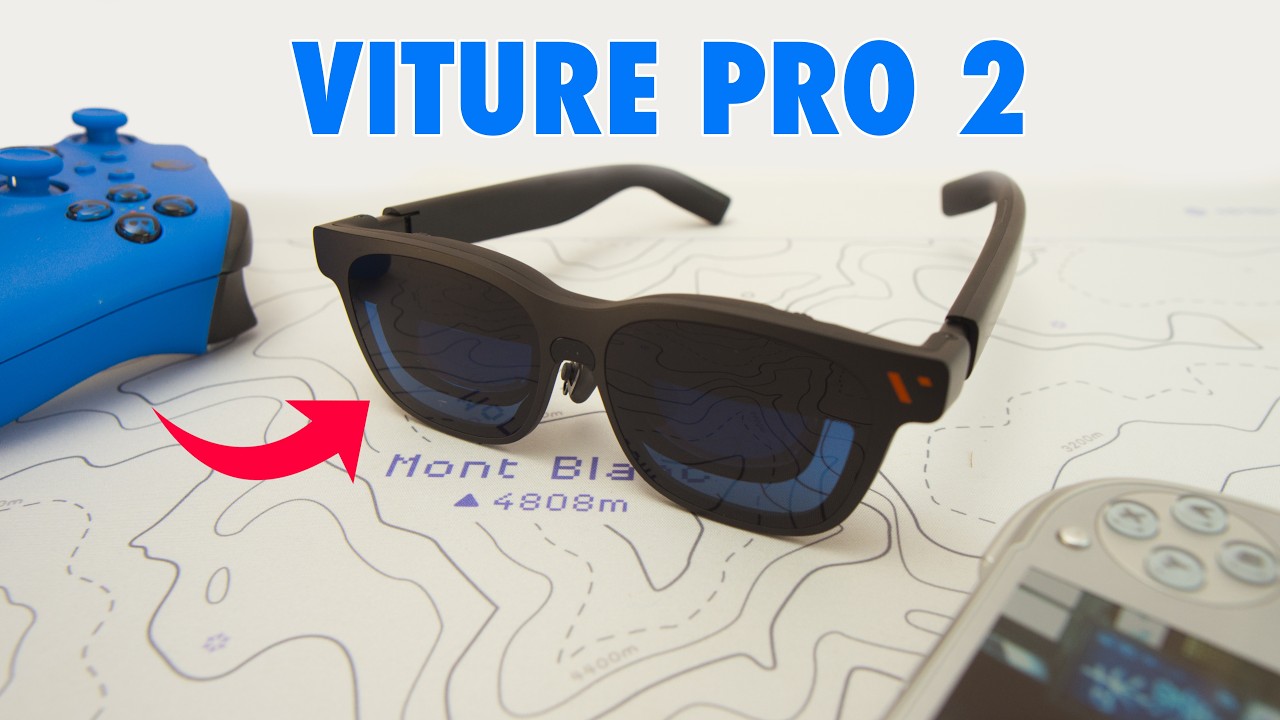
The Lightest XR Glasses I’ve Tried
The VITURE Pro 2 solves one of the biggest issues with XR glasses, and it does so while costing less. Calling them the Pro 2 is a bit of a misnomer for what is actually VITURE’s entry-level pair, especially since they aren’t an upgrade over the original in every way. But by trimming away some costly features, VITURE has brought the price down to $299 while making the lightest and most comfortable pair of XR glasses I’ve ever tried.
They weigh just 63g, which is 16% thinner and 20% lighter than their predecessors. We all come to XR glasses for the magic of throwing a display in front of our eyes, but comfort is the most important factor with anything you put on your face. We’re now at the stage where these glasses aren’t noticeably heavier than a standard pair of shades, and standard shades don’t pack dual micro OLED panels capable of 1600 nits at 1080p and up to 120Hz.
Sharp from Edge to Edge
The Pro 2 has a 50° field of view, slightly wider than the original’s 46°. The really impressive thing about the displays, though, is that they’re truly sharp from edge to edge. One of the big criticisms of the Beast XR is a bit of blurriness around the corners of the display, along with some chromatic aberration. None of that is present on the Pro 2.
If you need reading glasses like me, there are two diopter wheels on either side of the glasses that let you dial in the focus for each eye. It’s a different system from the Beast XR, where you buy prescription lens inserts that clip in underneath the nose pads. I definitely prefer the inserts. I’m not very good at dialling in the right measurements for my eyes, and I keep fidgeting with the wheel, especially if I take the glasses off and accidentally touch it. Having my actual prescription set in glass in the Beast XR means I can’t go wrong. It’s what an optometrist told me to do, so it’s probably right.
Streaming, Gaming and the Compatibility Catches
Streaming and handheld gaming are where XR glasses play to their strengths, but there are some caveats around playback on different devices. The Pro 2 can produce the equivalent of a 142-inch display, but if you plug it straight into your phone, you’ll get a windowed version and won’t make the most of the screen real estate. To get the full experience, you need the Spacewalker app, which works like a virtual Google TV stick inside an app on your phone. It fills the frame and gives you access to spatial photo features. It also includes a browser that lets you reach sites like BBC iPlayer, which are otherwise blocked if you try to watch through the standard iOS app. That isn’t just the BBC protecting its licence fees, since the issue crops up every now and again across a number of apps. YouTube plays back fine in the YouTube app, but if you download content and try to watch it offline, the output is blocked. That’s a DRM issue, so plan ahead if you’re thinking of downloading videos for a long flight.
For gaming, you can plug into an Android handheld or something like a Steam Deck with no issues whatsoever. If you want to use a Switch or Switch 2, you’ll need a dock. Anyone who has tried a third-party dock with the Switch 2 knows it can be a bit of a landmine, so VITURE has its own Pro Dock and has just released a mini version. Either one gets playback working, and it plays in docked mode, so you get the proper docked experience rather than the handheld picture relayed to your glasses.
What VITURE Cut to Reach $299
So far, so good, but VITURE has made some trade-offs to hit that price. First, there’s no dynamic tint control. In a bright environment you’ll get some bleed-through from the real world behind the projected display, which isn’t great compared with other glasses on the market. Electrochromic dimming is an expensive feature, so VITURE has instead included a lens shade that clips onto the front, giving you a dark environment to watch in any circumstance. There are two designs, one smooth and one with an etched surface, and it’s completely random which you’ll receive.
The second big omission is Harman audio, so the speakers in the stems won’t sound as good. That may disappoint some people, but I can see why VITURE did it, since it added production cost, and you can always throw on earbuds for better audio. Cutting it makes sense if it means a lower asking price. And if you’re coming from the original Pro, you’ll notice the magnetic connector is gone, and you now plug a USB-C cable directly into the stem.
Pro 2 or Beast XR?
You might think that at $549 the Beast XR is automatically the pair to buy, but it isn’t that clear-cut. The Beast has a higher resolution, a wider field of view and a much bigger virtual screen, but it isn’t as comfortable or as light as the Pro 2, and that may matter most to you.
The killer feature that makes the Beast worth the higher price is three degrees of freedom (3DoF). The glasses know where your head is relative to the virtual display and can anchor the screen in one fixed position while you tilt your head around. That makes for a much more natural viewing experience than a screen that constantly tracks your head, and it opens up things like multiple ultra-wide monitors or a smooth follow mode that tracks you more gently. Personally, I find it an absolute game changer, and going without it on the fixed Pro 2 feels like a downgrade. In my opinion 3DoF is essential if you want to use XR glasses for productivity, so I wouldn’t recommend the Pro 2 in that context.
At the same time, 3DoF adds complexity. The anchored screen has been known to drift, so you find yourself resetting it, and the Beast has a lot more settings and buttons. If you aren’t willing to learn what all the buttons do and how to navigate the menus, it’s a bit of a fuss compared with something as simple as the Pro 2. And as I said, the Pro 2 has the sharper edge-to-edge display, so if that’s what you want, it may be the better option after all.
Final Thoughts
I think VITURE has done something really smart with the Pro 2. They’ve refined the model, dropped some expensive features that were making XR glasses inaccessible to a lot of people, and produced an entry-level pair that’s high quality and about as plug-and-play as this format gets. I’ve left links to the Pro 2 and the Beast XR in the video description, and you might also want to read my Beast XR review from a few months ago.
My recommendation: For streaming and handheld gaming, the Pro 2 is the pair I’d point most people towards. It’s the lightest and simplest, with a sharp picture from edge to edge. If you want XR glasses for productivity or a multi-monitor setup, spend more on the Beast XR for its 3DoF tracking.