Projectors vs XR Glasses vs Portable Displays vs Handhelds
Five years without a proper TV taught me a lot about the alternatives. Here's what worked, what didn't, and what finally won me back.
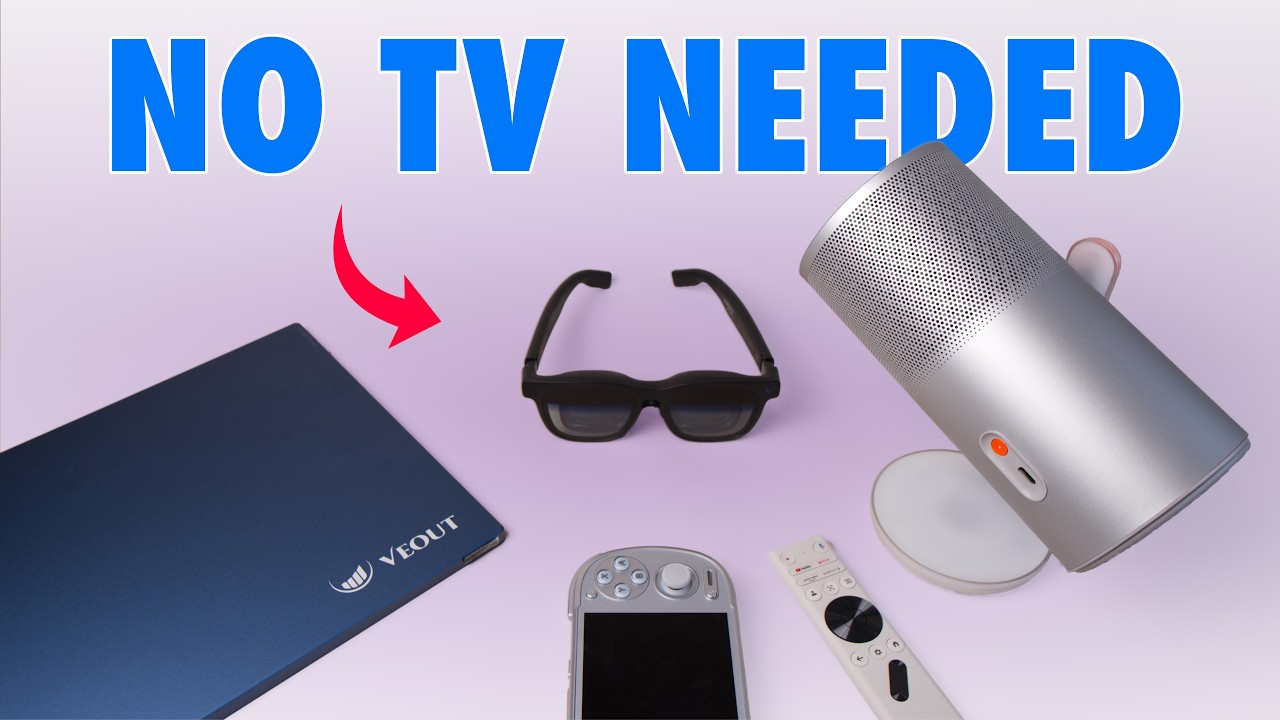
Five Years Without a TV
Our living room TV broke five years ago, and we decided to stick with that because our son was on the way, and toddlers and TVs aren’t a great mix. He’s now four and a half and has thankfully moved on from bashing the TV to button bashing. In the meantime, I’ve had the chance to experiment with loads of TV alternatives, from portable displays to projectors and even XR glasses. Here’s my experience across all of those categories, to help you decide whether one of them could work if a TV no longer fits your lifestyle.
Projectors
Projectors are probably where most people start, because they offer the closest experience to a TV. They go up on a wall, they’re communal so the whole family can watch together, and they can be high quality. Before you commit, it’s worth looking around, because the range is broad.
If you want one for gaming in particular, the BenQ X3000G is a highly specialised, if expensive, bet at around £1,300 on Amazon. For that you get low-latency 4K HDR, though that would be the bare minimum you’d expect from a TV at the same price. What sets it apart is portability, flexible screen size, and the fact you can pack it away to free up your wall. You do need that free wall to begin with, and not every surface suits a projector. That’s where its 2,000 ANSI lumens and auto keystone come in, making it bright and flexible enough to work on a wall without a dedicated backdrop. I had a great time testing it on lots of different surfaces, but I struggle to recommend it at that price, especially when alternatives like the XGIMI MoGo 4 exist.
The MoGo 4 can’t match the X3000G on specs, but it costs less than half as much at around £500 and does the same job with less of a focus on gaming. It’s more of a lifestyle projector, and it even rotates into a Bluetooth speaker with some nice lighting effects when you aren’t streaming. I took it away with friends during the World Cup to watch the football, and it really shone as a communal option, even if it’s annoying when someone walks in front and it pauses the picture to protect their eyes. That’s a great safety feature, but it isn’t as seamless as a TV. It’s decent for gaming if you’re happy with 1080p, but at 450 ISO lumens it’s far from bright enough to compete with the BenQ or a modern TV. ISO lumens read slightly higher than ANSI on paper, so 450 ISO is effectively around 360 ANSI, which is significantly dimmer than the BenQ. That makes finding the right spot in less-than-ideal lighting more of a challenge, although I actually prefer its auto framing.
Both have been fun to use, but the technology costs about the same as a TV for arguably a worse viewing experience. If you value clean wall space and portability, or are limited to it, they might be the best option.
XR Glasses
What if you don’t need a communal option and would prefer your own private screen? XR glasses have exploded over the past few years, with manufacturers like XREAL and VITURE racing to make the best pair. That’s also led to some experimental designs that haven’t gone as well. The GOOVIS ART XR has a pretty wacky design that looks a bit like a dentist’s loupe. You strap it to your head and peer through it, Professor E. Gadd style, at a screen that can display anything connected to it. You get a sense of immersion while still seeing the world around you, which is the main selling point over a full VR headset. In practice, it’s one of the most impractical designs I’ve ever wrestled with, and it’s let down by build quality. The strap on my pair broke within days, and since it was such a critical point of failure, the headset never stayed on my head after that. It solidified in my mind that the true form factor for this kind of device is a pair of glasses.
These days you get sleek, subtle designs like the VITURE Beast XR, which backs that view up. What looks like a regular, if slightly bulky, pair of shades secretly displays 1200p per eye at a 58° field of view. Any pair like this can be fiddly, and how well it suits you depends on your eyes and viewing style, but I appreciate how easy it is to buy prescription inserts for the Beast XR that tailor the screen to your eyesight. With those in, the display is really sharp and vibrant. There’s some aliasing and chromatic aberration, particularly around the edges, so they won’t be brilliant for reading or working from your laptop. For gaming, where your eyes are mostly in the centre of the display, they can be a superb option if you don’t have a TV to hand.
Compatibility can be an issue. Some streaming services, like BBC iPlayer, block access through XR glasses because of DRM output issues, and offline YouTube downloads simply won’t run. To play the Switch 2 on them, you have to buy an additional dock that interprets the signal properly. There’s plenty of room to improve, but for now you can pick a pair up and be pretty impressed. They fit in a glasses sleeve, you can take them anywhere, and they genuinely excel on a plane. They also tend to cost less than projectors or TVs, although the top-end models run to a few hundred pounds.
Portable Displays
If you want to spend even less, you could look at portable displays. I’ve tried my fair share from the likes of Uperfect and Azopa, and I’ve even hooked an iPad up to a Steam Deck to see how it works as a portable gaming display. You can have a lot of fun with these, but they come with limitations. It isn’t really about quality, since you can get a 4K OLED display that looks brilliant for gaming. Being portable, though, you cap out at a certain screen size, usually around 17 inches, which doesn’t compare to a giant wall projection or a pair of immersive XR glasses. Most don’t have a built-in battery either, so you end up managing an HDMI cable, a power adapter for the display, and a device that needs to stay plugged in because the display will otherwise drain its battery. They’re less convenient than they sound.
That goes double if you want to use an iPad as a display. You’ll need a capture card to convert the signal and probably one or two apps, but it adds an extra dimension to an iPad Pro and is a great way to get more out of that incredible screen with a gaming device. The nice thing about portable displays, iPad included, is that beyond gaming they can have a longer life as a companion to your desktop monitor or laptop, so they stay useful even after you upgrade your TV.
Handhelds
If you’re serious about gaming and don’t want a new TV any time soon, it’s really worth looking at handhelds if you haven’t already. That could be anything from a Steam Deck to an old retro device, and there’s a vast array of options, including handheld PCs that give you streaming apps like YouTube or Disney+. Since becoming a dad, handheld gaming has been what’s let me keep up with the hobby. I admit that’s at a pace of one or two games a year, but being able to pick something up and play wherever you are, inside or outside the house, has been a great way of staying connected to it. Even if you’ve got a baby asleep on your lap as you play, just remember to turn off the vibration on your controller.
Back to a Good TV
Now that we’ve set up a new TV in the house, an OLED with VRR and a 120Hz refresh rate, I’m sold again on the magic of a great TV. We went with a 42-inch Samsung S90F. It’s far from the biggest or highest-spec TV, but it’s perfect for our living space and has completely reinvigorated my PS5, Switch 2 and Analogue 3D. I’d been holding off on Expedition 33 because the skill menu was obscured by a dark shadow on the right-hand side of the old TV. That’s the problem with edge-lit TVs as they age, since panels fail and then you’re stuck. It was absolutely worth the wait, because Expedition 33 looks stunning on this display. As much as I’ve enjoyed experimenting with these alternatives over the past five years, nothing beats the quality and convenience of a good TV. And I think my son has noticed that too.