MANGMI Air Y | A Casual Gamer's Review
MANGMI is making a real name for itself as the new champion of budget handheld gaming. But how far does $95 really go these days?
Following the Air X’s Lead
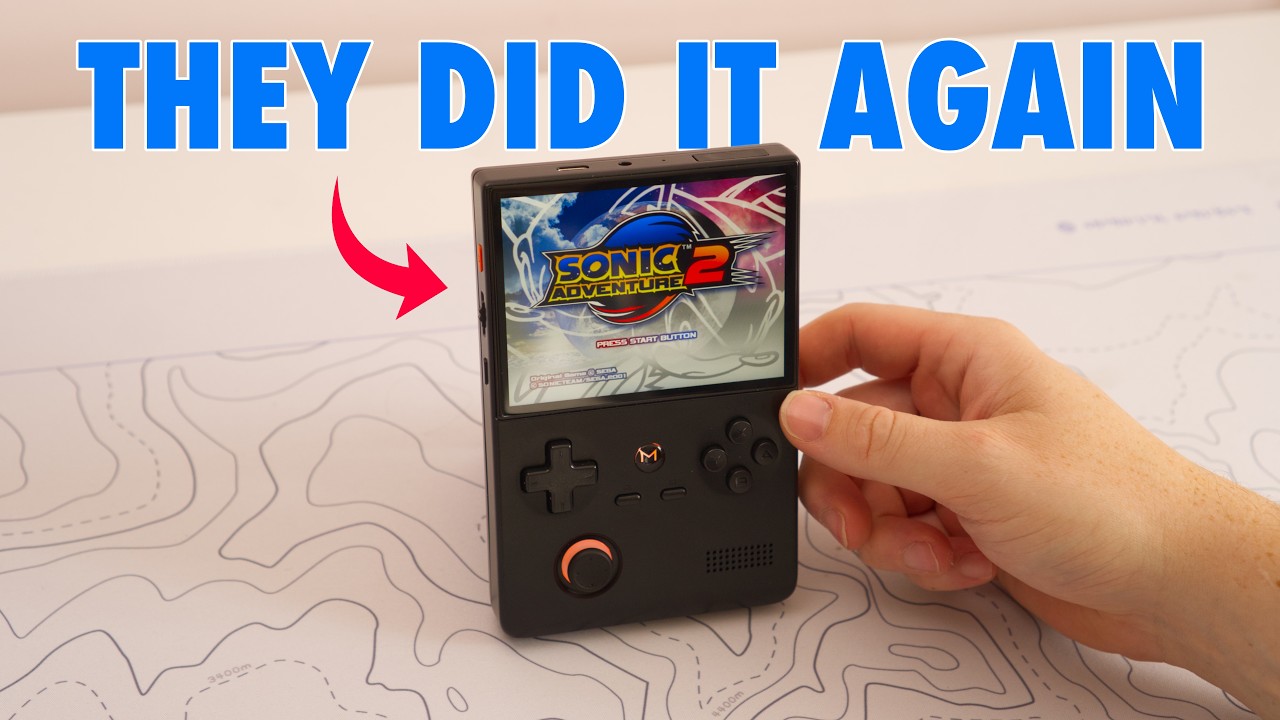
MANGMI is making a real name for itself as the new champion of budget handheld gaming, and the Air Y is here to show just how far $95 goes these days. The Air X launched around a year ago to universal acclaim for the build quality it offered at that price, and the Air Y follows squarely in that vein. This is the base model, with 3GB of RAM, 32GB of storage and a Snapdragon 662 chip. If you want more, the Air Y Pro steps up the RAM and chipset and adds a second joystick, since the base Air Y only has one. That alone limits how many systems you’ll want to play on it, but given its power profile, you weren’t going much past PS1 anyway. It shows exactly what MANGMI is doing with its budget line: looking at what parts are available and what’s genuinely essential for a good experience, without pushing the price too high, and doing it without the Air Y feeling like a cheap device. It actually feels like a nice product you want to use.
Build, Feel and a Fingerprint Magnet
One quick caveat: this black colourway is a fingerprint magnet, and it gets filthy fast, no matter how clean your hands are. The plastic itself feels nice in the hand and reasonably robust. As vertical handhelds go, it’s relatively bulky, with a slightly bigger profile than the Analogue Pocket or the AYANEO Pocket DMG, but that makes it spacious and comfortable to hold for long sessions.
Things get a little awkward with the joystick. It doesn’t have enough tension for my liking, and its placement feels inherently awkward on a vertical device, which makes me feel like I’m not missing much by skipping the Air Y Pro, since I don’t think I’d enjoy dual-joystick games in this format anyway. What’s genuinely brilliant is the D-pad and face buttons. Despite being a budget device, this D-pad beats what I found on the Analogue Pocket or the AYANEO Pocket DMG. It has a nice bit of rigidity and feels very accurate, particularly on diagonals, so you can happily mash out Hadoukens in Street Fighter II or III. It’s likely the same D-pad and joystick as the Air X, though the Air X had a slight coating that made the D-pad feel smoother. Here it’s a rawer plastic finish, which is completely fine.
The B and A buttons are concave and the X and Y buttons slightly convex, which reminds me of playing on third-party Mega Drive controllers as a kid, and I could see myself setting these up as turbo buttons. Navigating Android is easy too, with a MANGMI home button front and centre alongside Start and Select, plus a quick action button on the side for the app switcher or, on a hold, a screenshot. The volume wheel is nicely precise rather than the kind that rockets straight to full volume, which I appreciate, and there’s an orange power button for a bit of flourish. The USB-C port sits on top next to the headphone jack and SIM card slot, and there’s a branded ventilation cutout on the rear above the R1 and R2 buttons, which sit quite flush to the shell with a subtle pivot that lets them work as either shoulder buttons or triggers. The R2 and L2 buttons share a conjoined pivot that takes a little getting used to, though I haven’t played many systems that need them.
Overall it’s a really well-built, sturdy device, and part of the appeal of the price is that you won’t be terrified to throw it in a bag, unlike something like my Analogue Pocket. If you do want to protect it, MANGMI sells a case, which I picked up. It’s quite bulky, enough that it turns a fairly portable device into something you have to think twice about carrying, though it does have a nice texture and a pouch, so it’s a decent case in its own right.
What It Can Actually Run
So what can you run on the Air Y? As long as you’re mindful of the RAM limits, you can get up to Dreamcast and PS1. I set up Beacon Launcher, a lightweight front end that gets you into games quickly and has a nice amber-waves background that matches the Air Y’s design well.
Game Boy Advance runs pretty flawlessly, and it’s a great excuse to get back into retro Fire Emblem games if Fortune’s Weave has you in the mood. The game that impressed me most, though, was Street Fighter Alpha 3, which felt lag-free and easy to control thanks to that D-pad. Even on GBA you have to be careful with shaders, since the Vulkan pixelate shader at 1x resolution was too much for the emulator and ground things to a halt. Mega Drive is a similar story: games run flawlessly, but I wouldn’t push the resolution or pile on shaders, since I suspect that would slow things down considerably.
Once you get into games intended for a TV, the display’s brightness limits become clear. It’s nice to have a 4.2-inch 4:3 screen for systems like the Mega Drive, but even vibrant games like Sonic the Hedgehog look slightly dull here. That’s even more noticeable in the Dreamcast version of Tony Hawk’s Pro Skater 2, where the hangar level looks very dark indeed, although performance runs perfectly, and combined with these controls it’s a genuinely nice device to play Tony Hawk’s on. PlayStation runs completely fine too, which is mostly an excuse for me to recommend Roll Cage, one of my childhood favourites. Push further than that and you might squeeze in some lightweight PSP titles.
Final Thoughts
For the $95 I paid, I’m pretty content with where the Air Y has got to. If you want to push into more demanding systems, the Air Y Pro offers more power and that second joystick. For me, though, this base Air Y is a real success story for MANGMI, following in the footsteps of last year’s Air X. If it’s your first vertical Android handheld, I think you’d be absolutely delighted with how far it gets you, especially if you’re committed to retro systems. It’s rare these days to recommend such a well-built product for under $100, so credit to MANGMI for that.
My recommendation: If you want a well-built, budget vertical handheld for GBA, Mega Drive, PS1 and Dreamcast, the base Air Y is genuinely excellent value. If you want dual joysticks or more headroom for shaders and heavier systems, spend a bit more on the Air Y Pro.
You can find out more about the MANGMI Air Y and Air Y Pro here. That’s an affiliate link, and although I am a MANGMI affiliate, this unit was bought with my own money and the review isn’t sponsored.